Records lived in spreadsheets
Inspection history for each transformer sat across separate Excel files and local machines. Finding an asset’s last result meant asking whoever ran it.
Case study · Energy & Utilities
We built the platform Siemens Energy uses to run substation inspection for Kahramaa across Qatar. Field engineers inspect transformers on a tablet that works with no signal, every asset carries a health rating on one scale, and serious findings escalate the moment they are recorded.

At a glance
Kahramaa runs the electricity and water network Qatar depends on. Siemens Energy is responsible for inspecting, testing and maintaining the transformers and reactors inside its substations. That work used to live in spreadsheets and on paper. It now runs on one platform, from the asset register through to a signed-off report.
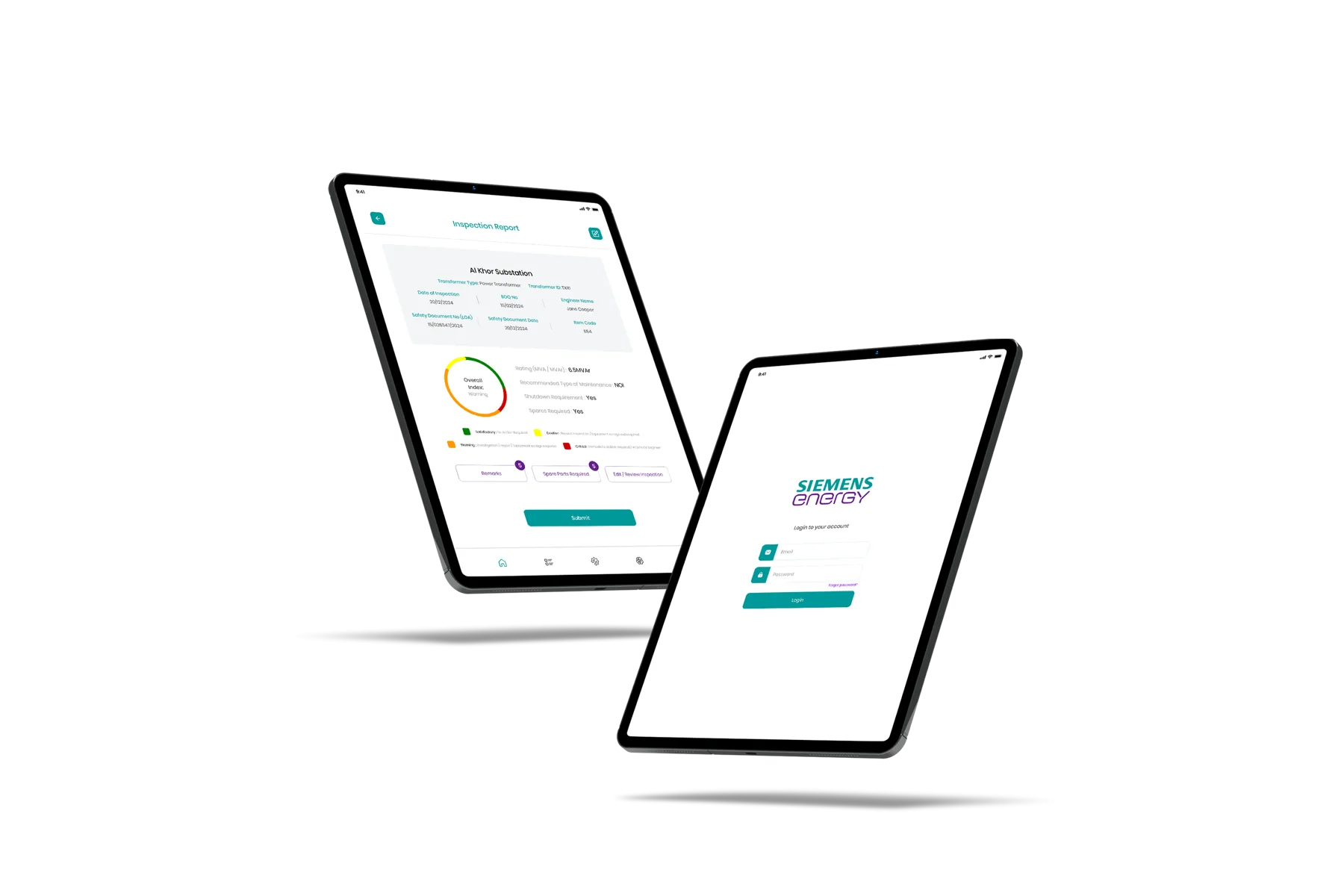
Engineers sign in on site and work through the inspection at the asset. The report captures the transformer’s identity and safety documentation, the readings, the recommended maintenance, whether a shutdown is required and whether spares are needed — then resolves to a single overall index for that asset.
The challenge
No single one of these was fatal. Together they meant the condition of critical assets was known by individuals rather than by the organisation.
Inspection history for each transformer sat across separate Excel files and local machines. Finding an asset’s last result meant asking whoever ran it.
Two engineers inspecting the same asset could record it two different ways. Without a fixed structure, results were hard to compare across the fleet.
Sign-off moved by email and by hand. A serious finding depended on someone noticing it and passing it on.
Nobody could open one screen and see the health of every transformer across every substation, or which assets were overdue.
Reconstructing who inspected what, when, and who approved it meant assembling evidence from several places after the fact.
Every additional substation added spreadsheets and coordination, not capacity.
The solution
The delivery team and the engineer in the field need very different things from the same data — one is tracking a programme, the other is standing at a transformer. Rather than force one screen to serve both, each gets its own.
The delivery view — progress across the programme, findings as they land, escalations and status by substation.
The field tool, built for no signal — guided inspection, evidence capture and rating at the asset, syncing when the device is back online.
How it works
Every substation and every transformer, auxiliary transformer and reactor is recorded once, with its identifiers, rating and location.
Inspections are scheduled and assigned to engineers by substation, so the day’s work is defined before anyone leaves.
The tablet app runs the inspection with no connection required — conditions, issues, status, ratings, and photo and video evidence captured at the transformer.
Each inspection resolves to a status on a fixed scale — Satisfactory, Caution, Warning, Critical — so results compare across engineers and across the fleet.
A finding that crosses the threshold is raised the moment it is recorded, rather than waiting for a report to be typed up.
Inspector, supervisor and admin approve in sequence, each signature captured against the record.
Completed inspections feed reporting on asset health, recommended maintenance, spares and shutdown requirements.
Before & after
A note on numbers: this comparison is deliberately qualitative. We have not published time-saved, cost or throughput figures for this deployment because we do not have them verified by the client. When they are confirmed, they belong here.
How we delivered
The platform runs inside the customer’s own environment, which is what critical national infrastructure requires.
A substation is not a place you can rely on a connection. The field app works fully offline and reconciles on sync.
Inspector, supervisor and administrator each see and can do only what their role allows.
Every inspection carries who recorded it, when, and who approved it — captured as the work happens, not reconstructed later.
Tell us the asset, the inspection and who has to sign it off. We will map it and tell you what it takes to digitise.